
Multi-PV Analysis: Seeing All the Options
What you’ll learn: When to show multiple candidate moves and the trade-offs involved. Reading time: 6 minutes
By default, a chess engine shows you one move—the best one it can find. Multi-PV (Multiple Principal Variations) tells the engine to show you the top 2, 3, 4, or more moves instead. This is one of the most useful features for practical analysis, but it comes with trade-offs you should understand.
What Multi-PV does
PV stands for “Principal Variation”—the line of play the engine considers best. With MultiPV=1, you see one PV: the engine’s top choice and the expected continuation.
With MultiPV=3, you see three PVs:
1. e4     (+0.32)  e4 e5 Nf3 Nc6 Bb5 ...
2. d4     (+0.28)  d4 d5 c4 e6 Nc3 ...
3. Nf3    (+0.25)  Nf3 d5 g3 Nf6 Bg2 ...
Each line shows the move, its evaluation, and the expected continuation if both sides play optimally from there.
The trade-off: depth vs. breadth
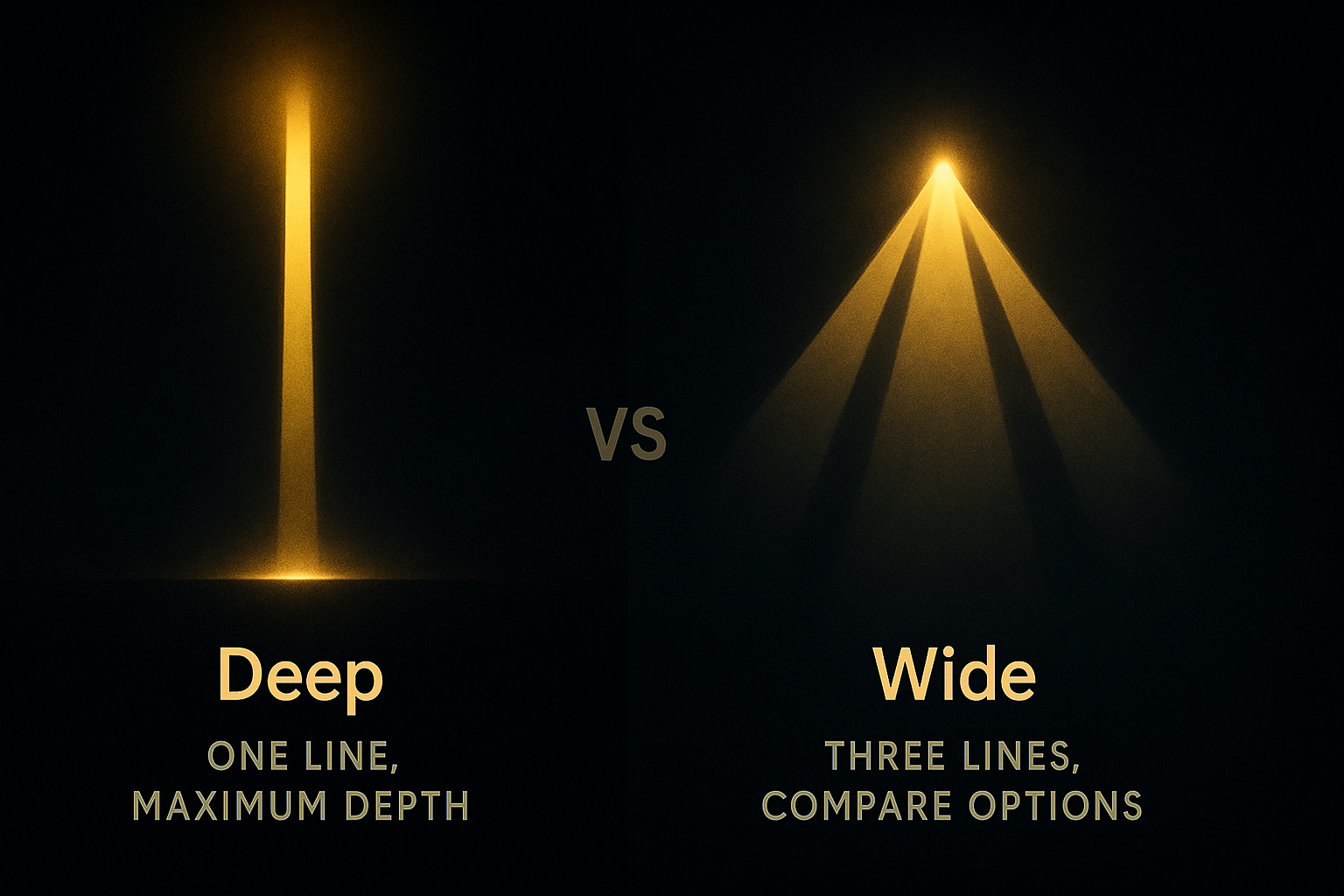
Multi-PV isn’t free. When the engine tracks multiple lines, it can’t go as deep.
With MultiPV=1, Stockfish might reach depth 35 in 10 seconds. With MultiPV=3, it might only reach depth 30 in the same time. The engine has to split its resources between tracking different variations.
The strength loss is meaningful:
| MultiPV | Approximate strength loss |
|---|---|
| 1 | None (full strength) |
| 2 | ~30 Elo |
| 3 | ~50 Elo |
| 4 | ~70 Elo |
| 5+ | Significant |
This doesn’t mean Multi-PV analysis is wrong—it’s still superhuman. But for critical positions where you need maximum accuracy, use MultiPV=1 and analyse each candidate move separately.
When to use Multi-PV
Opening preparation
This is Multi-PV’s sweet spot. In the opening, you’re not looking for the single best move—you’re looking for playable options that fit your style and repertoire. See our Opening Preparation guide for a complete workflow.
Set MultiPV=3 or 4 and work through your opening positions. The engine shows you which moves are competitive. A move that’s 0.15 pawns worse than the best might be perfectly fine if it leads to positions you understand better.
Understanding why a move is bad
When you played a move and the engine says it’s a mistake, checking the alternative is instructive. Set MultiPV=2 or 3, input your position before the mistake, and see what the engine preferred and why.
Often you’ll find:
- Your move allowed a tactic you missed
- Your move gave up a positional advantage
- The engine’s choice prepared something you didn’t consider
Comparing candidate moves
In critical positions during analysis, you might have 2-3 candidate moves in mind. Rather than analysing each separately, set MultiPV to cover all your candidates and see them ranked immediately.
If your move is among the top 3, it’s probably fine. If it’s not in the top 3, investigate why.
Training games review
When reviewing a game you played, Multi-PV helps you understand moments where you were choosing between options. Were your candidate moves among the engine’s top choices? Even if you picked the second-best move, knowing it was close to best is reassuring. For a complete game analysis workflow, see Analysing Your Games.
When to use MultiPV=1
Maximum-depth analysis
For truly critical positions—a theoretical novelty, a correspondence game move, a published analysis—use MultiPV=1. You want maximum depth and accuracy.
Endgame analysis
In most endgames, there’s one correct plan. Seeing three variations doesn’t help when two of them lose. Use MultiPV=1 and focus on finding the winning path.
Tactical positions
When calculation is paramount, you want the engine going as deep as possible into the main line. Multi-PV dilutes this.
Verifying a specific line
If you’re checking whether a particular move works, you don’t need to see alternatives. Set MultiPV=1, play your line, and see what happens.
Reading Multi-PV output
A typical Multi-PV display looks like:
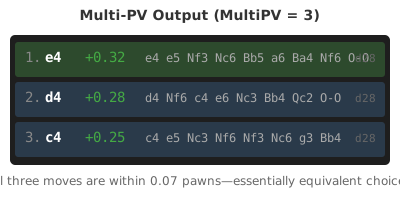
In text form:
depth 28 multipv 1  score cp 34 pv e4 e5 Nf3 Nc6 Bb5 a6 Ba4 Nf6 O-O
depth 28 multipv 2  score cp 29 pv d4 Nf6 c4 e6 Nc3 Bb4 Qc2
depth 28 multipv 3  score cp 27 pv c4 e5 Nc3 Nf6 Nf3 Nc6 g3
Key elements:
- depth 28: The search depth reached (28 ply / 14 full moves)
- multipv 1/2/3: Which line this is (1 = best, 2 = second best, etc.)
- score cp 34: Evaluation in centipawns (+0.34 for White)
- pv e4 e5 Nf3…: The expected continuation
The gap between lines matters more than absolute evaluations. If line 1 is +0.34 and line 2 is +0.29, both moves are essentially equivalent. If line 1 is +0.34 and line 2 is -0.50, there’s only one good move.
Practical workflow
Here’s how to use Multi-PV effectively:
1. Start with MultiPV=1 for a quick overview
Let the engine run to decent depth on your game. Note where the evaluation changes significantly. These are the critical moments.
2. Switch to MultiPV=3-4 at critical moments
At decision points, see what alternatives existed. Were there multiple good options? Did you miss a better choice?
3. Go back to MultiPV=1 for deep dives
If a position needs maximum analysis—a key theoretical position, a complex tactic—switch back to single-line mode and let the engine think longer.
4. Check your candidates
Before each critical move, list your candidate moves. Then check Multi-PV to see if they appear. This trains your candidate-move generation. Chessmate displays MultiPV output clearly, making it easy to compare your candidates against the engine’s top choices.
Summary
Multi-PV trades depth for breadth. Use it when you want to compare options—opening preparation, understanding mistakes, reviewing games. Use single-line analysis when accuracy matters most—deep analysis, endgames, tactical positions.
A good workflow alternates between both: Multi-PV for exploration, single-line for verification.