
Leela Chess Zero: The Neural Network Engine
What you’ll learn: The neural network engine that plays like AlphaZero. When to use it and how to set it up. Reading time: 8 minutes
In December 2017, DeepMind published a paper that shook the chess world. Their program AlphaZero had taught itself chess from scratch—no human games, no opening books, no hand-coded rules—and crushed Stockfish in a 100-game match. The future of chess engines had arrived.
One problem: AlphaZero was proprietary. DeepMind never released it.
So the open-source community built their own version. That’s Leela Chess Zero.
Hardware requirement: Leela needs a dedicated GPU (NVIDIA RTX 3070 or better) to play at full strength. On CPU alone, it’s dramatically slower than Stockfish. If you don’t have a gaming GPU, Stockfish is the better choice for analysis—but keep reading to understand when Leela’s perspective is still valuable.
The AlphaZero approach
Traditional engines like Stockfish use:
- Alpha-beta search: Examine moves deeply, prune branches that can’t affect the result
- Hand-crafted evaluation: Human-designed rules about material, king safety, pawn structure
AlphaZero (and Leela) use:
- Monte Carlo Tree Search (MCTS): Simulate games probabilistically, guided by the neural network
- Learned evaluation: A neural network trained entirely through self-play
The neural network serves two purposes:
- Policy: Given a position, which moves look promising? (Focuses the search)
- Value: Given a position, who’s winning? (Evaluates leaf nodes)
Instead of searching exhaustively like Stockfish, Leela follows the network’s intuition about which moves deserve attention. This lets it “see” ideas that traditional engines miss—positional sacrifices, long-term plans, subtle manoeuvres.
The distributed training project
AlphaZero trained on thousands of custom TPUs—hardware most people don’t have. Leela took a different approach: distributed computing.
Anyone can contribute to Leela’s training. You download the client, your computer plays training games, and the results are sent back to improve the neural network. Thousands of volunteers worldwide contribute CPU and GPU time.
The result: a continuously improving engine trained on billions of self-play games. Each new network generation is slightly stronger than the last.
You can follow the training progress and download the latest networks at lczero.org.
Hardware requirements
Here’s Leela’s main limitation: it needs GPU power to run at full strength.
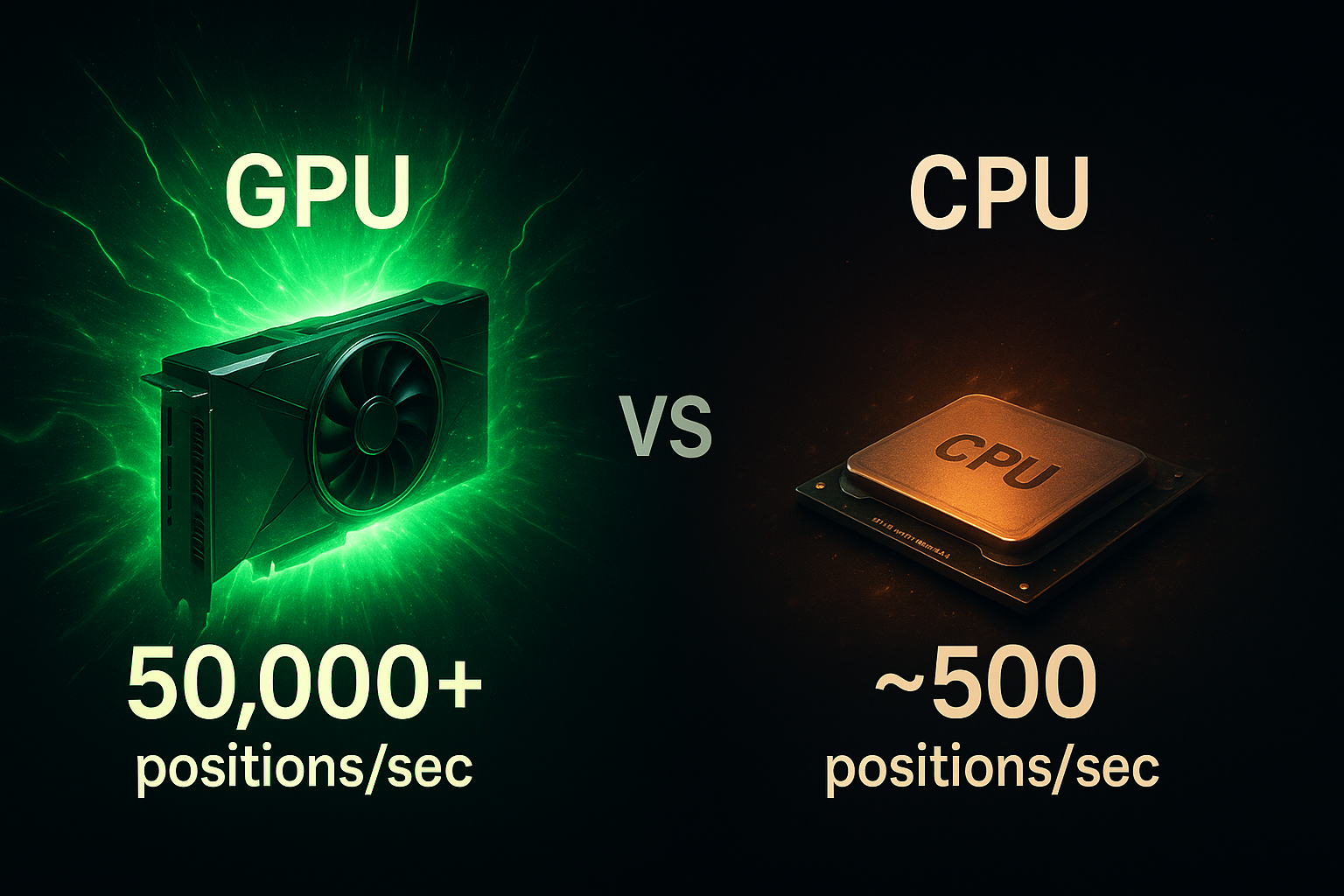
On a good GPU (NVIDIA RTX 3070 or better):
- Leela plays at world-class strength
- Evaluates tens of thousands of positions per second
- Competitive with Stockfish in many positions
On CPU only:
- Leela is painfully slow
- A few hundred positions per second
- Much weaker than Stockfish on the same hardware
This is because neural network inference is massively parallel—exactly what GPUs are designed for. CPUs do it poorly.
If you have a modern NVIDIA GPU, Leela is worth running. If you don’t, Stockfish is the better choice for serious analysis. (Leela can still provide useful second opinions at lower speeds, but don’t expect the same depth.)
Backend options
Leela supports multiple backends for running the neural network:
- CUDA: Best for NVIDIA GPUs. Requires CUDA toolkit.
- cuDNN: Even faster on NVIDIA with CUDA. Recommended if you have the drivers.
- OpenCL: Works on AMD GPUs and some integrated graphics. Slower than CUDA.
- BLAS: CPU-only fallback. Very slow.
Most users with NVIDIA cards should use the CUDA or cuDNN backend.
The “human-like” style
People often describe Leela’s play as “more human” than Stockfish. There’s something to this.
Stockfish’s style is relentlessly tactical. It finds forcing sequences, converts small advantages, and grinds you down with precision. It’s optimised for objectivity.
Leela plays differently:
- More willing to sacrifice material for activity
- More interested in piece placement and long-term pressure
- Sometimes plays quiet moves that don’t make immediate sense
- Handles closed, strategic positions naturally
This comes from how Leela learns. It develops “intuition” about which positions are good by playing millions of games, rather than following human-designed rules about material values and pawn structure.
The practical effect: Leela sometimes suggests moves that look strange at first but turn out to be deeply strong. It “sees” positional ideas that Stockfish needs many moves to recognise.
Leela vs Stockfish
Neither engine is strictly better. They’re different tools:
| Situation | Better choice |
|---|---|
| Tactical positions | Stockfish |
| Strategic/closed positions | Either; check both |
| Time pressure / fast analysis | Stockfish |
| Deep positional analysis | Leela |
| CPU-only hardware | Stockfish |
| Strong GPU available | Either |
When they agree: The position is probably correctly evaluated.
When they disagree: The position is complex or strategic. Investigate both lines. Leela might be seeing something Stockfish needs more depth to find—or Stockfish might be finding tactics Leela underweights.
For serious analysis, running both engines is ideal—they catch each other’s blind spots. Tools like Chessmate make this easy by showing both evaluations side-by-side.
Networks and weights
Leela’s “brain” is the neural network weights file. New networks are released as training progresses. You can choose which network to run:
- Latest training network: Strongest but experimental
- Release networks: Tested, stable, recommended for most use
- Specialised networks: Some are trained for specific purposes (fast play, analysis, etc.)
The network file is separate from the Leela binary. You download both and configure your GUI to use them together.
Bigger networks are generally stronger but slower. For analysis, use a large network. For playing games at fast time controls, smaller networks might be better.
Running Leela
Basic setup
- Download Leela from lczero.org
- Download a network weights file (the site recommends one)
- Configure your chess GUI to use the Leela engine
- Set the weights file path in the engine options
- Select your backend (CUDA for NVIDIA GPUs)
Key settings
- Backend: CUDA/cuDNN for NVIDIA, OpenCL for AMD
- Weights file: Path to your downloaded network
- Threads: For GPU, usually 2 is enough; the GPU does the heavy lifting
- MinibatchSize: Larger batches are faster on powerful GPUs
In GUIs
Most chess GUIs (Arena, ChessBase, Cutechess, etc.) support UCI engines, so Leela works out of the box. Just point the GUI to the Leela executable and configure the options.
Contributing to Leela
Want to help train the engine? You can donate compute time:
- Download the Leela client
- Run it when your computer is idle
- Your GPU/CPU plays training games
- Results upload to the server
This distributed approach has generated billions of training games. Every contribution, however small, helps make Leela stronger.
Summary
Leela Chess Zero is the open-source successor to AlphaZero—a pure neural network engine trained through self-play. It plays with a distinctive, strategic style that finds ideas traditional engines miss.
The catch: you need a good GPU. Without one, Stockfish is faster and stronger.
With one, Leela provides invaluable second opinions, especially in closed positions where long-term planning matters more than tactics. For serious analysis, running both engines gives you the best of both worlds.